
Employee Tax Settings
Editing employees federal and state tax settings
Updated February 19, 2026
- Click on the employee's Side bar item
- Click on the desired employee
- Scroll down to federal tax settings
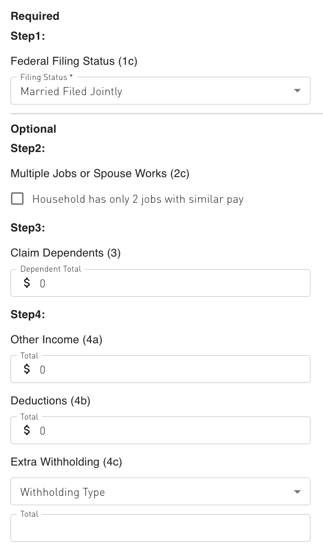
- Here you can edit their withholding settings such as Filing status, Dependents or Additional Amount
Federal Options:
Was this article helpful?
Related articles
Still need help?
The Symply support team is here for you. Send us the details and we'll get back to you as soon as we can.